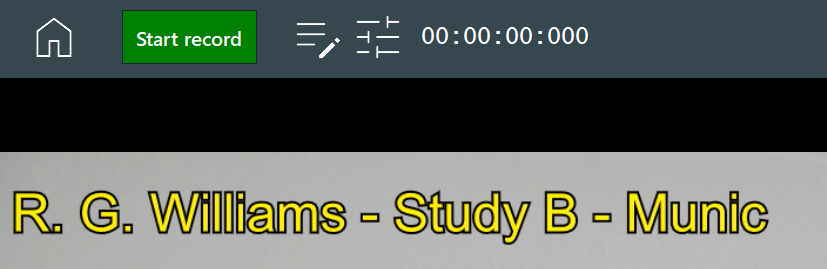
In case you want to have a visual identification inside each recording, it is now possible to use the variables from the Metadata form to generate a text overlay for all sources:
▪Open the Scenario properties
▪Activate the Image overlay active option.
▪Enter the variables to be recorded into the field underneath:
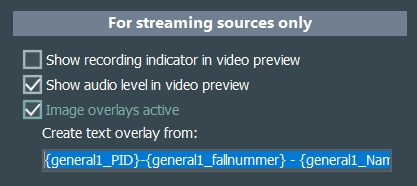
The syntax is identical to the one described in Use Metadata for Session names.
Each variable is placed in curly brackets {} and includes the name of the BLOCK plus the occurrence number of that block, followed by an underscore (_) and the name of a parameter.
▪Make sure the option Collect Metadata is selected and the correct metadata form is selected.
Only when all relevant fields are filled in, their content can be displayed.
This text overlay is displayed in the upper left corner in yellow, like this: