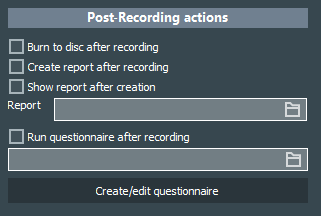
Once you click STOP to end a recording, you can again start a number of actions that should be performed automatically:
▪Select Burn to disc after recording if that is required. ▪To automatically back-up each session recorded with this Scenario, select a location in the Back up the session to the following location field. ▪Select Create report after recording, if a project specific report is required. ▪Report: Select a standard or custom report to enable the generation of a session report containing Markers and comments. ▪Select Show report after creation if a report is specified and should be shown automatically. ▪Select the option Run Questionnaire after recording. ▪Select a questionnaire you created and stored on your recording station. |